ssl problem

thanks
now problem is changed
how i can remove ssl certificate.
i try to remove .key file in /usr/local/directadmin/data/users/<user>/domains/<domain>.key
after removing this file httpd can't start any more.
can you help me please
thanks
 
Do not delete files.

Go to the user management page in DA -> SSL Certificates, check "Use the server's certificate" and click "Save". That will bring the things back the way they was before installing your certificate.
 
thanks
actually i need to remove old ssl that is for subdomain and set new ssl for the main domain.
but i can't removing the old one. and in the ssl generator i have this error when i try to use my csr:
Keys in this CSR were used by You with other certificate request!
 
Did you eventually add the subdomain as a normal domain (eg in directadmin you have bot domain.dom and sub.domain.dom added as regular domains) or it was created regularly?
 
Did you eventually add the subdomain as a normal domain (eg in directadmin you have bot domain.dom and sub.domain.dom added as regular domains) or it was created regularly?

it just adds as a subdomain for the main domain on one user account.
first I setup SSL for the subdomain and after it I want to change SSL and use it for the main domain.
 
Then just do it the way I told you. Go to the user to manage the domain, click on "SSL Certificates" and install the new certificate. It will replace the old one.
 
Then just do it the way I told you. Go to the user to manage the domain, click on "SSL Certificates" and install the new certificate. It will replace the old one.

i generate CSR with CSR generator tools, now when i want to paste it to SSL area in direct admin it said:
Cannot Execute Your Request Unable to find key.
I think should i changing key but i do not know from where.
 
are you losing the last version of da? last version of openssl?
did you fill the CSR currect?
 
There is a problem with new SSL certificates. I experienced the same today. Letsencrypt did make the SSL certificate, but it won't get implemented. I tried to make one for the main domain of a customer.
Browser still says that it's not valid and it looks as if the main server certificate is still used, because it says the certificate name is set to the servers hostname.

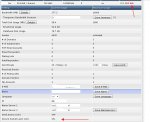
There are no problems with already existing server certificates, only new ones created. So I went investigating and then I encountered this, see the arrows in the screenshot:

ssl.jpg

Directadmin 1.51.3
 
SSL can be enabled for an user (on user's bases), and it does not necessary mean that all domains will get SSL automatically enabled. So you still need to enable SSL per domain.

If it used be ON on domain bases and got to be OFF after the update, then check the domain's config file's modification date and check its date through DA logs to make sure that it was not disabled manually by mistake.
 
Sorry I forgot to mention it, I fixed my issue the same day in a strange way.

I logged in as that customer a second time after disabling ssl the first time again because it did not work.
Then firstly changed private_html to symlink to public_html and after that created a Letsencrypt certificate again.
Then what I got in the screenshot on the upper right orner turned green and the certificate worked.
Changed the symlink back to a seperate private and public_html and things kept on working.

So I don't have a clue on to why it did not work in the first place. Odd. Maybe a hickup or something but it is working now.
The screenshot also shows that SSL is activated, but in the right upper corner kept being red instead of turning to green to allow ssl.
I'll try the logs next time, but since there was nowhere any error notice, I doubt if something can be found there, in my case.

Maybe my solution can help Ariarman somehow.
 
I bet it's the same case actually.

In the link above not only Dovecot SNI did not work, but the cert was not installed at all (while DA was showing that it is). So practically - showing as enabled but not working.

SSL->ON in the config of the user and save fixes it...
 
Yep, indeed exactly the same Zeiter and Wattie.
In my case also DA was showing that the cert was installed, but it wasn't as it pointed to the main default cert with an error notice when trying to visit that user domain.

I hope this is some hickup and not a bug in DA.
 
Back
Top