Solved How can I block this spam coming via Google?

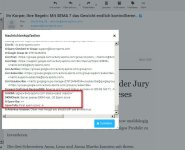
Me too. Check the size of the message, if its bigger than the value in the ESF variables.conf (or variables.conf.custom), then adjust the value.
This ESF value goes for both, SA and rSpamd. You can see in the mail header, if the message was scanned at all. In my case it was not, because size was ~1,5mb and max size in ESF was 1024k, so I changed that to 2mb.

And if you make a new variables.conf.custom, dont forget to use "==" instead of "=" (I got this wrong at first attempt, Zeiter corrected me, thanks to him!)
 
Yes it probably was bigger as Spamcop already was complaining it was over 50k. I just checked, and it's either 1,5 or 6 MB.

I put it in like this now in the variables.conf.custom file:
EASY_SPAMASSASSIN_MAX_SIZE == 2048K

I presume this is alright. Can we also just use M in there like 2M?
And I forgot, when changing this file, do we just need to restart Exim or recompile exim and/or exim.conf?

Edit: corrected filename.
 
Last edited:
I put it in like this now in the exim.variables.conf.custom file:
No, not in exim.variables.conf.custom! Just variables.conf.custom in the ESF folder: /etc/exim.easy_spam_fighter/variables.conf.custom
I presume this is alright. Can we also just use M in there like 2M?
I`d like to know that too, dont know yet.
when changing this file, do we just need to restart Exim or recompile exim and/or exim.conf?
do an "./build exim_conf" and "service exim restart".

EDIT: it seems ESF handles the values forward to Exim, and Exim understands "M" too, so yes, it should be possible to use 2M instead.
 
Last edited:
No, not in exim.variables.conf.custom! Just variables.conf.custom
Yes sorry, I was thinking about both names for folder and file at the same time and typed the wrong name, but in fact I used the correct name.
I already did rebuild the exim.conf which automatically also restarts Exim so we should be fine then.
I will correct my previous response to prevent mistakes by others reading just partly.

EDIT: it seems ESF handles the values forward to Exim, and Exim understands "M" too, so yes, it should be possible to use 2M instead.
Ah great!

Just out of curiosity, do you by any chance know if one cane make comments in files like bad_sender_hosts_ip and similar files there?
I would like to do something like:

# spamhost.com
192.168.10.0/24

# bad datacenter.com
10.12.0.0/19

Same for the blacklist_domains file. Didn't do it yet as I don't know if these comments would disturb a good working of the files and I can't find information if comments in there are allowed. I presume yes, but would like to be more sure.
Or maybe @mxroute knows this last part?
 
Last edited:
Yes probably indeed.
I have so many in there in the meantime, that I thought of clearing them out, and then stating where it's for, otherwise after some time ip's might change and one might be blocking things one does not want to block anymore. :)
 
Yes probably indeed.
I have so many in there in the meantime, that I thought of clearing them out, and then stating where it's for, otherwise after some time ip's might change and one might be blocking things one does not want to block anymore. :)
I edited my previous post. Dont forget about the big IP broker services .. they just rotate between their annoying spamming customers (ipxo.com, netutils.io, prefixbroker.com and so on)
 
Like I said before add this to your /etc/mail/spamassassin/local.cf file and restart spamd to stop it. Worked for us so far.

header HK_GOOGLE_GROUPS exists:X-Google-Group-Id
score HK_GOOGLE_GROUPS 10
describe HK_GOOGLE_GROUPS Message sent via Google Groups

Its the score line that is important. Whatever the score is to block spam on your server or most of your accounts ensure its higher than that to block it but lower than high scoring spam delete score. Just my opinion.
 
Like I said before add this to your /etc/mail/spamassassin/local.cf file and restart spamd to stop it. Worked for us so far.
I already did that, but still mail came through.
So I now raised the size Spamassassin was using. The secore is set to 10 at the moment.

But it's not all Google spam. I also want to block hosters who are known to send spam and from which other ip's are used everytime.
So the method to block which I mention in my previous reply is great for having an overview, when later on a customer complaints that some mail does not arrive, we can check the ip where it's coming from.
If the ip range is belonging to someone else then the company mentioned, we can set the ip's free.

Spam fighting needs to be different options as not every spammer is using this Google trick, which only occured here lately, so these lines in the local.cf only stop the Google Groups spam, not other spam.
Which is why I use additional methods too.

For Google groups these lines are great, provided the size of Spamcheck is raised too.
 
Yea these guys get smarter and smarter. Anyway past headers in some AI and see what it sais you can do. Sometimes but only sometimes it gives good advice
 
I don't use AI, don't really trust that yet. But I report every spam to Spamcop, and then it's also quite easy to see where it's coming from and how they are using it and often best way to block it.
 
You can't do anything unless you config to auto learning like
soft block after 10Messages in last 10Minute, then automatics going to spam and hold to refresh {10}Minute before back to normal state.

30Messages in last 30Minute will be hard block and denied new coming messages and hold like 2hr before can accept new messages again.


Please note: this is just idea.
 
You can't do anything unless you config to auto learning like
I do a lot of things and they all help.
Something like you say I don't know the code for, but we don't get spam floods luckily. :)
So it's almost never 10 messages within a few minutes.
Also a reason why I protect users in other ways. Due to the countermeasuers like using good RBL's, blocking, using the code from @Hostking and things like that, almost no spam gets through.
 
Back
Top