
Hello to everyone, as I'm new here! Thanks in advance to everyone who'll help.
My shared hosting provider uses DirectAdmin as panel on CloudLinux, and the company has enabled support for node.js apps. The server also runs on Litespeed, although I'm unsure about the version. I'm trying to install the sync-in server on my space, but I'm a bit stuck towards the end of the process (i.e. trying to open the webisite results in a 503 error). I have already read this thread, which proposed a .htaccess configuration that is apparently not working for me. This is what I've done:
In the Extra features section of DA I clicked on Setup Node.js App, then on Create application. This is how the application configuration looks like:
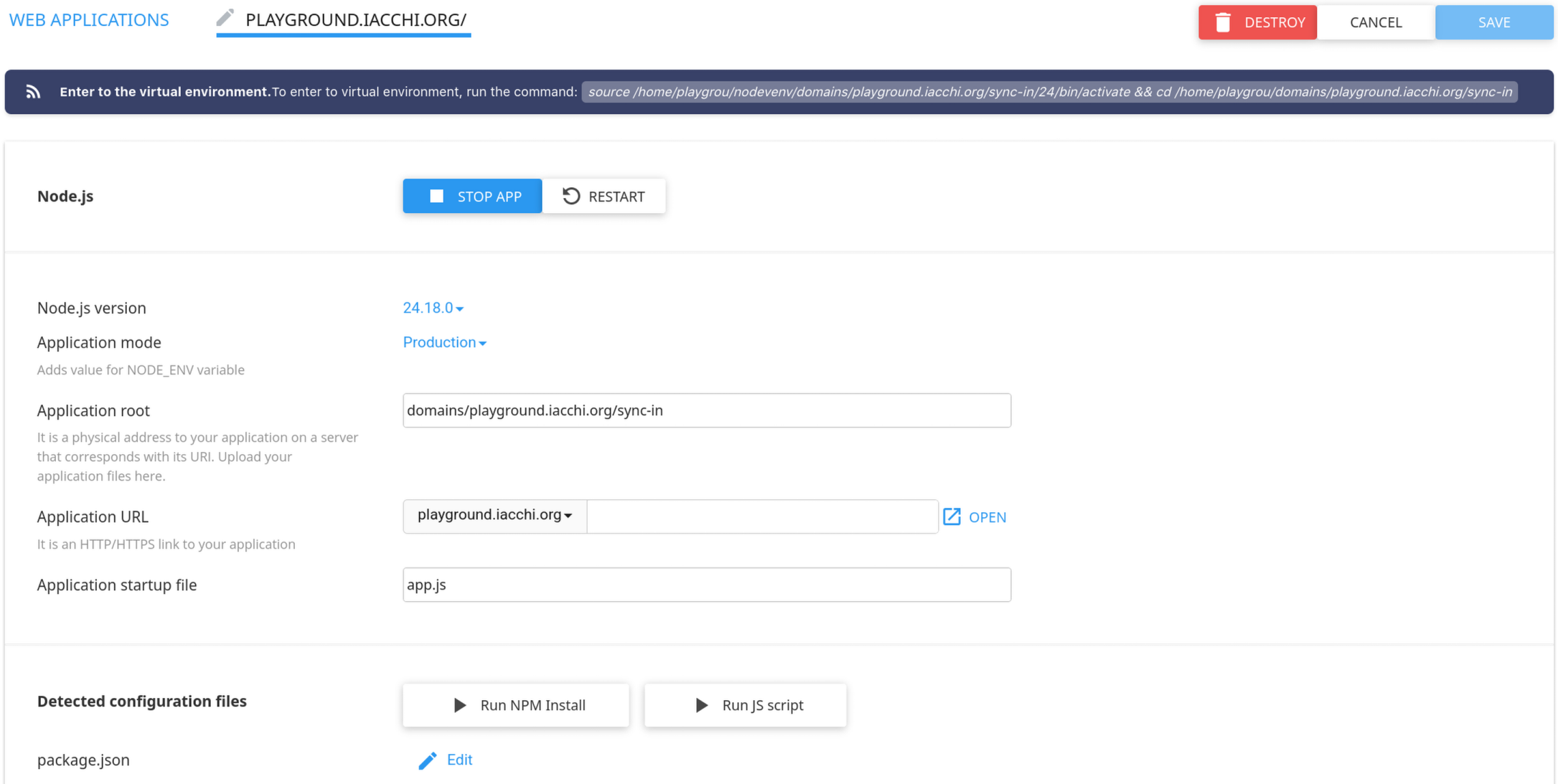
After this, instead of using DA's interface to setup everything, I used the command at the top of the page to enter the virtual environment in my ssh session, then followed sync-in's installation guide to install the program with npm. In the configuration file, I specified 0.0.0.0 as binding host to expose it to the internet (I suppose once we figure out the reverse proxy I'll limit it to localhost), and 35169 as port for the application. After starting the server with
as per instructions (btw, pressing Run JS script on DA's interface didn't start the app, but that's a problem for later), I went to http://mydomain.tld:35169 to access the application, but Firefox just said that it was unable to connect. After reading the thread mentioned above, I went to edit the .htaccess file in the public_html folder of my domain. There was already some configuration entered by DA, and I added mine at the bottom. My .htaccess file now looks like this:
After this I tried to go to http://mydomain.tld to access the page (http or https gives the same result), but Litespeed gives a 503 error. This is where I gave up and came asking for help. What am I doing wrong?
My shared hosting provider uses DirectAdmin as panel on CloudLinux, and the company has enabled support for node.js apps. The server also runs on Litespeed, although I'm unsure about the version. I'm trying to install the sync-in server on my space, but I'm a bit stuck towards the end of the process (i.e. trying to open the webisite results in a 503 error). I have already read this thread, which proposed a .htaccess configuration that is apparently not working for me. This is what I've done:
In the Extra features section of DA I clicked on Setup Node.js App, then on Create application. This is how the application configuration looks like:
After this, instead of using DA's interface to setup everything, I used the command at the top of the page to enter the virtual environment in my ssh session, then followed sync-in's installation guide to install the program with npm. In the configuration file, I specified 0.0.0.0 as binding host to expose it to the internet (I suppose once we figure out the reverse proxy I'll limit it to localhost), and 35169 as port for the application. After starting the server with
Code:
npx sync-in-server start -d
Code:
# DO NOT REMOVE. CLOUDLINUX PASSENGER CONFIGURATION BEGIN
PassengerAppRoot "/home/playgrou/domains/playground.iacchi.org/sync-in"
PassengerBaseURI "/"
PassengerNodejs "/home/playgrou/nodevenv/domains/playground.iacchi.org/sync-in/24/bin/node"
PassengerAppType node
PassengerStartupFile app.js
# DO NOT REMOVE. CLOUDLINUX PASSENGER CONFIGURATION END
RewriteEngine On
RewriteRule ^(.*)$ http://127.0.0.1:35169/$1 [P,L]
After this I tried to go to http://mydomain.tld to access the page (http or https gives the same result), but Litespeed gives a 503 error. This is where I gave up and came asking for help. What am I doing wrong?